

illumin
Use this guide to configure illumin bidding in CloudX.
Keep using the platform integration guides for SDK installation and ad loading:
illumin is a server-side bidder: CloudX requests bids on the server and renders winning creatives with the CloudX SDK’s built-in renderer. There is no illumin SDK or adapter to add to your app.
Overview
Unlike SDK-based networks, illumin has no credentials to configure: no account ID, no app ID, and no placement IDs. Enabling the bidder and adding line items is the entire setup. Adding app-ads.txt entries is recommended before scaling.
Supported ad formats:
- Banner (320x50)
- MREC (300x250)
- Interstitial
- Rewarded
Native is not supported yet.
Step 1. Enable illumin in CloudX
Go to Bidders in the dashboard navigation, select illumin in the bidder list, and click Enable.
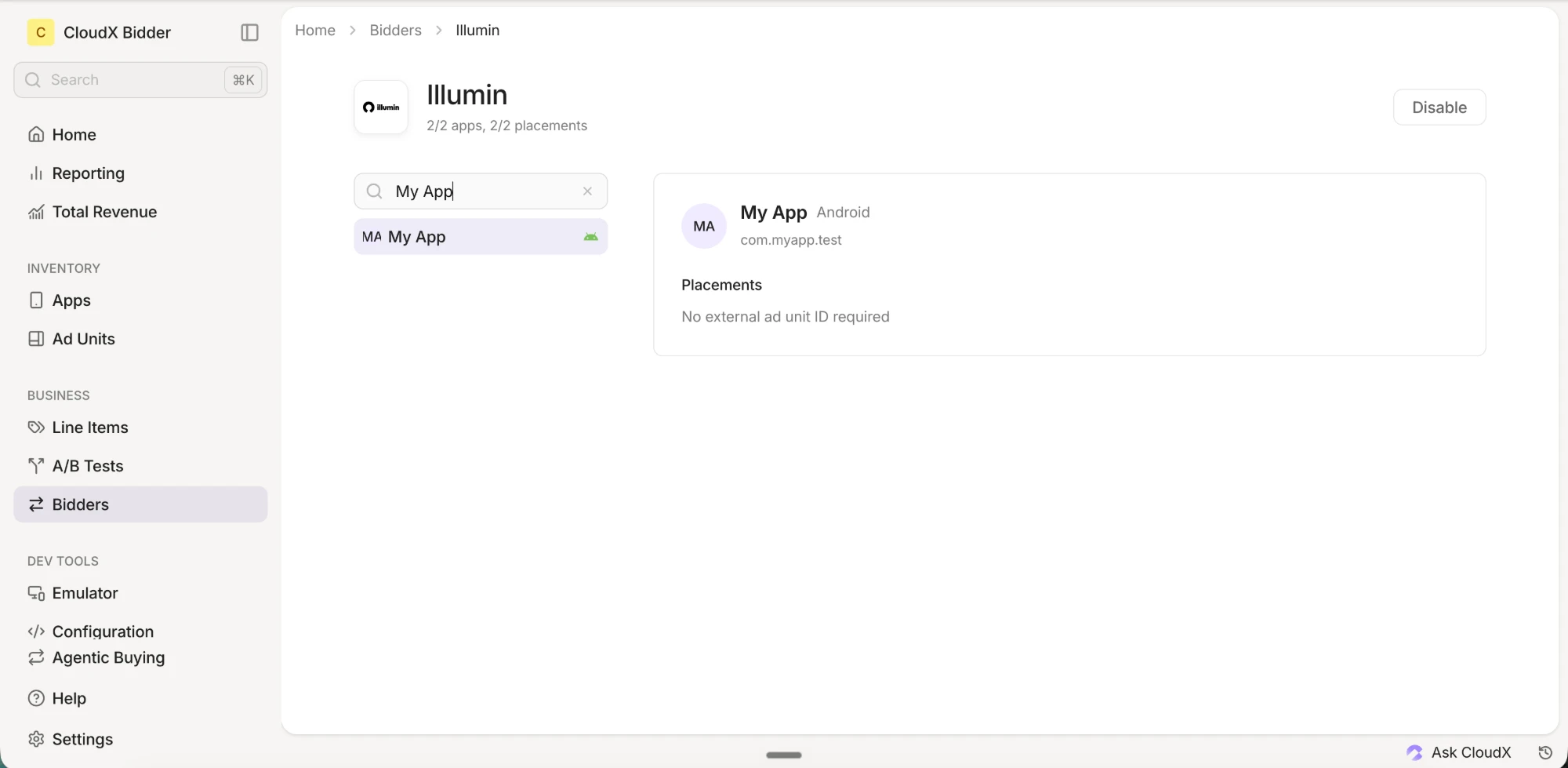
There is nothing to enter: illumin has no account-level credentials. If illumin is disabled, CloudX will not request bids from illumin for any of your inventory.
Step 2. Add illumin line items
Go to Line Items and create line items for bidder illumin on each CloudX ad unit where illumin should compete.
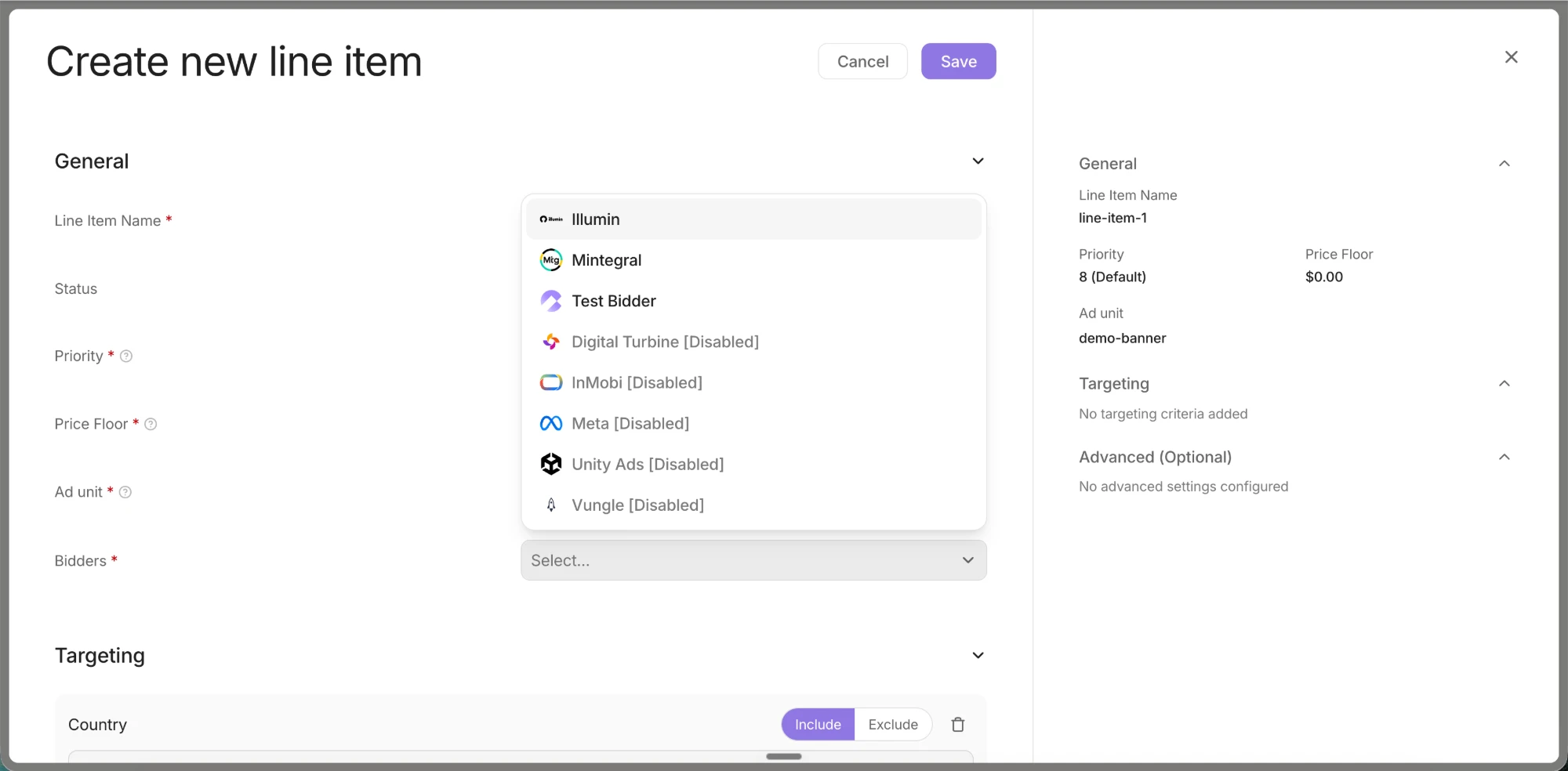
- Use bidder
illumin - Target Banner, MREC, Interstitial, or Rewarded ad units
- Repeat the setup for each ad unit where illumin should bid
Step 3. Add illumin entries to your app-ads.txt
illumin bids without these entries, but add them before scaling: illumin’s demand includes buyers that only buy inventory whose app-ads.txt authorizes illumin’s supply paths.
app-ads.txt lives at https://yourdomain.com/app-ads.txt, where yourdomain.com is the developer website in your App Store or Google Play listing. One file covers every app published under that domain. If your store listing has no developer website, set one first: buyers cannot verify any app-ads.txt entries without it.
Append the following 43 entries to your existing file. Do not remove or modify lines that are already there — entries for other networks are unaffected by this change, and a duplicate entry is harmless if an identical line already exists in your file. Keep your CloudX DIRECT line in place — the illumin entries add to it, they do not replace it.
# CloudX / illumin — v1 (2026-08-12)
admanmedia.com, 2447, RESELLER
33across.com, 0015a00002egvRSAAY, RESELLER, bbea06d9c4d2853c
adform.com, 2671, RESELLER
adform.com, 3393, RESELLER, 9f5210a2f0999e32
adyoulike.com, a2226c27fc2a6773f6a2b365e013513a, RESELLER
amxrtb.com, 105199820, RESELLER
anzu.io, 5ecaa855b89805ae66adeae0, RESELLER
appnexus.com, 12700, RESELLER, f5ab79cb980f11d1
appnexus.com, 15349, RESELLER, f5ab79cb980f11d1
bidmachine.io, 1371, RESELLER
bidmachine.io, 1372, RESELLER
conversantmedia.com, 100308, RESELLER, 03113cd04947736d
freewheel.tv, 539813-r-523319, RESELLER
freewheel.tv, 539813-r-524565, RESELLER
improvedigital.com, 2316, RESELLER
improvedigital.com, 2643, RESELLER
lijit.com, 417620, RESELLER, fafdf38b16bf6b2b
loopme.com, 14118, RESELLER, 6c8d5f95897a5a3b
media.net, 8CU58PCO4, RESELLER
media.net, 8CUSC3UJ7, RESELLER
minutemedia.com, 01ky50t6qtdq, RESELLER
onetag.com, 95b3718ec52c228, RESELLER
openx.com, 540866936, RESELLER, 6a698e2ec38604c6
pgamssp.com, 6720eaffd76cc4dc1f00de26, RESELLER
pubmatic.com, 158481, RESELLER, 5d62403b186f2ace
pubmatic.com, 162974, RESELLER, 5d62403b186f2ace
pubmatic.com, 165117, RESELLER, 5d62403b186f2ace
richaudience.com, iKKFhsvJ2v, RESELLER
risecodes.com, 69c27ce4d35af000017c7c5d, RESELLER
rtbhouse.com, v9OtJDzCWTKAPdzbpmOI, RESELLER, 4f3b94578e85950c
rubiconproject.com, 14558, RESELLER, 0bfd66d529a55807
rubiconproject.com, 25386, RESELLER, 0bfd66d529a55807
sharethrough.com, 3713, RESELLER, d53b998a7bd4ecd2
sharethrough.com, XeKuhSkz, RESELLER, d53b998a7bd4ecd2
smaato.com, 1100058015, RESELLER, 07bcf65f187117b4
smartadserver.com, 3713, RESELLER, 060d053dcf45cbf3
spinx.biz, 1373698903, RESELLER, 9f2711e9aaa9f992
themediagrid.com, A8X5S7, RESELLER, 35d5010d7789b49d
triplelift.com, 12456, RESELLER, 6c33edb13117fd86
video.unrulymedia.com, 3948367200, RESELLER
xandr.com, 18048, RESELLER
yieldmo.com, 2807970144171533194, RESELLER
zetaglobal.net, 757, RESELLER
The account IDs in these entries are illumin’s seats at each exchange and its upstream supply partners. They are identical for every CloudX publisher and are not tied to your account. If your file already lists these domains with different IDs — added for another SSP or mediation platform — keep those lines and add these as well; each ID authorizes a separate path.
After you publish the updated file, buyers re-crawl app-ads.txt on their own schedules. Expect illumin demand to ramp gradually rather than immediately.
Step 4. Test and validate
- Enable test mode for your device in CloudX.
- Build and run the app with the CloudX
app_keyand the correct CloudX ad unit identifiers. - Request an ad from each ad unit where illumin is enabled.
- Confirm that the ad loads and that illumin participates or wins where expected.
Troubleshooting
illumin is not bidding
Check the following first:
illuminis enabled in theBidderssection- An
illuminline item exists for the ad unit
Demand is lower than expected
- If you have not added the app-ads.txt entries from Step 3, buyers that require authorized inventory cannot buy your impressions.
- Confirm the updated file is live at
https://yourdomain.com/app-ads.txtand allow up to a week for buyers to re-crawl it.
illumin bids but the ad does not render
Check the following:
- Your app is using the CloudX
app_keyand loading the intended CloudX ad unit - Your app is on a current CloudX SDK version — illumin creatives render through the CloudX SDK’s built-in renderer
If a specific creative fails consistently, contact CloudX support with the app, ad unit, and approximate time of the failure.