

Mintegral
Use this guide to configure Mintegral bidding in CloudX.
Keep using the platform integration guides for SDK installation and ad loading:
For platform-specific Mintegral adapter requirements, see:
Overview
Use the following values:
Mintegral App IDandMintegral App Keyin CloudX app mappingMintegral Placement IDandAd Unit IDin CloudX ad-unit mapping- CloudX
app_keyand CloudX ad unit identifiers in app code
CloudX collects Mintegral bidder tokens internally, so you do not need to fetch Mintegral bidder tokens in your app code.
Step 1. Complete Mintegral-side setup
- Sign in to your Mintegral publisher account.
- Add the app you want to monetize.
- Copy the Mintegral App ID and App Key for that app.
- Create placements and ad units for each format you want to use.
- Copy each Placement ID and Ad Unit ID.
- Complete Mintegral review and payout setup before expecting live demand.
Step 2. Enable Mintegral in CloudX
Go to Operations -> Bidder Configuration and make sure Mintegral is enabled for your account.
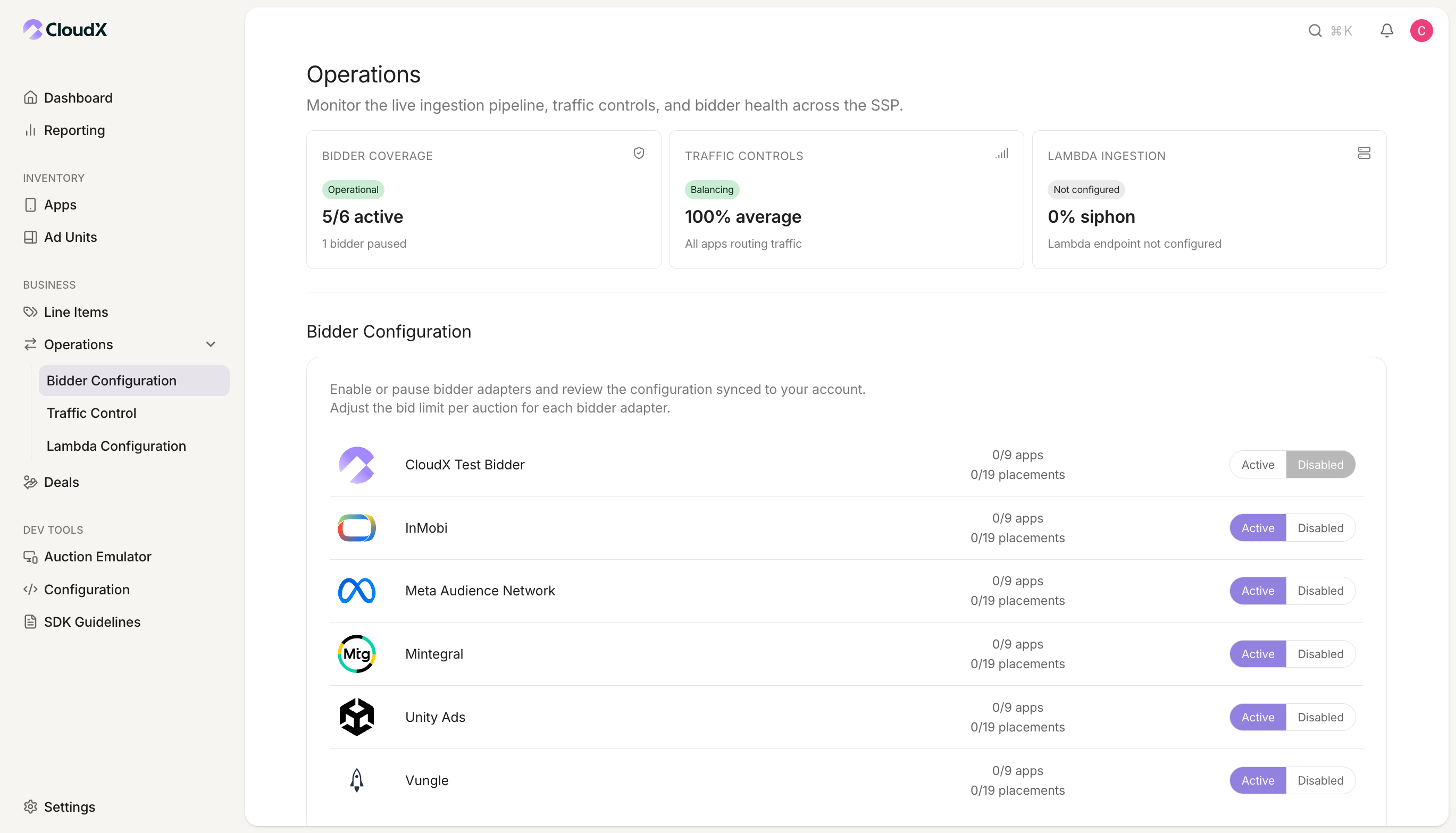
If Mintegral is disabled, CloudX will not request bids even if your mappings are correct.
Step 3. Configure your CloudX app
Go to Inventory -> Apps and create or open the app that matches your mobile application.
| CloudX field | Value to enter | Required |
|---|---|---|
Mintegral App ID | Your Mintegral App ID | Yes |
Mintegral App Key | Your Mintegral App Key | Yes |
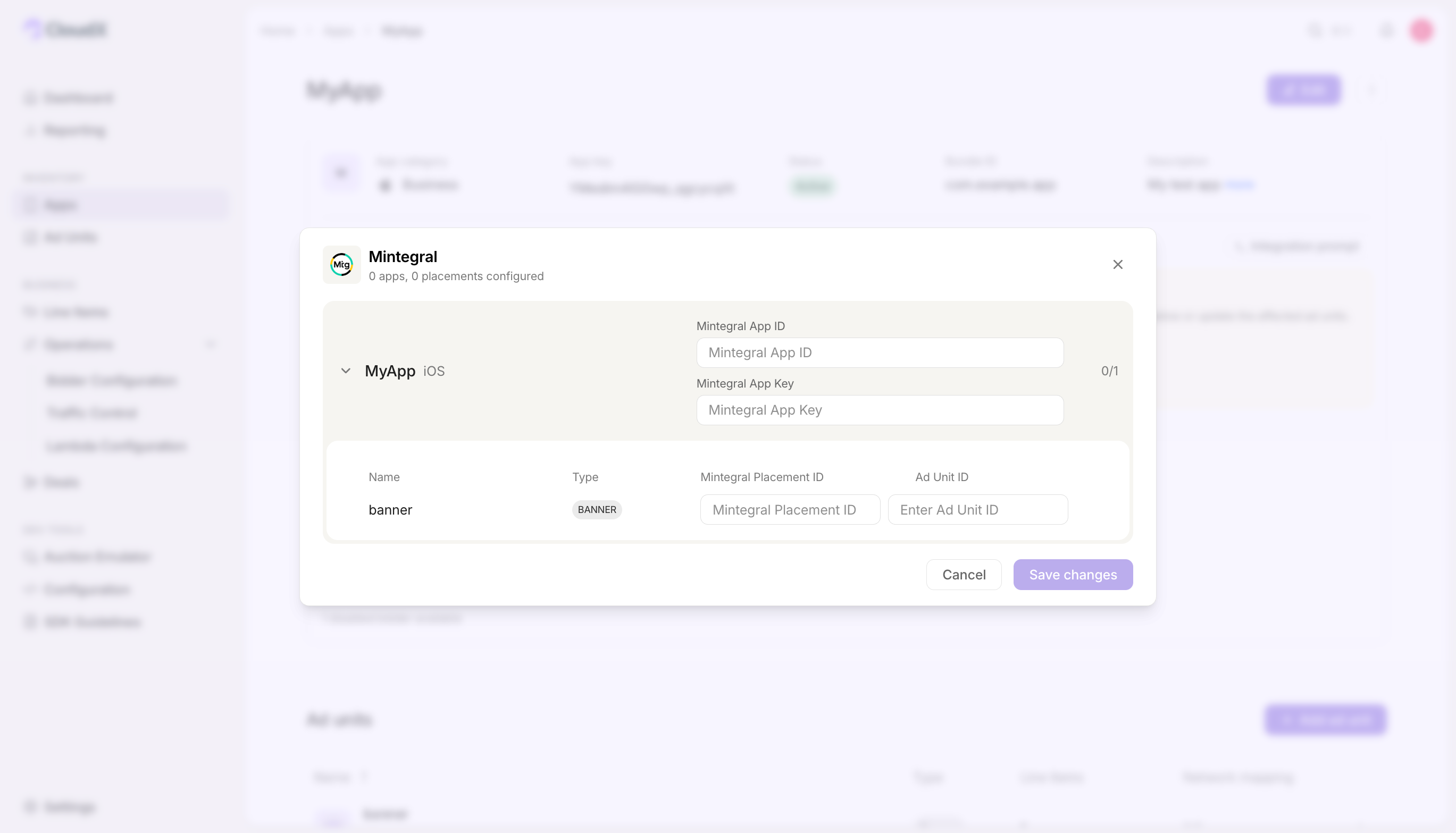
Also copy the CloudX app_key from the app details page. Use the CloudX app_key in Android or iOS code.
Step 4. Configure CloudX ad units
Go to Inventory -> Ad units and add the mappings below for each eligible ad unit.
| CloudX field | Value to enter | Required |
|---|---|---|
Mintegral Placement ID | The Mintegral placement ID for that ad unit and format | Yes |
Ad Unit ID | The Mintegral ad unit ID paired with that placement | Yes |
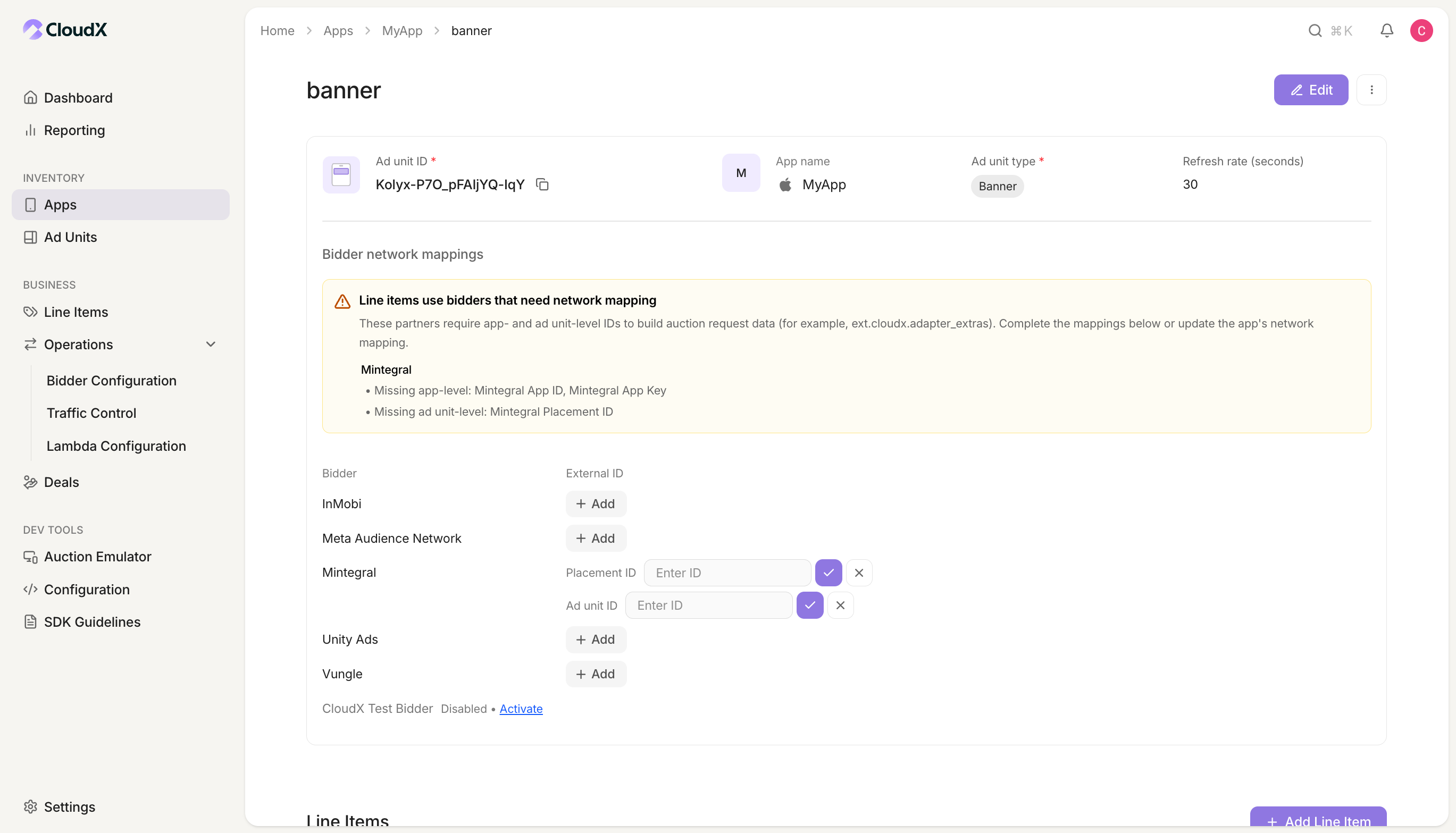
- Treat both
Mintegral Placement IDandAd Unit IDas required for mobile integrations. - Match the Mintegral placement and ad unit pair to the exact CloudX ad-unit format.
- For Native ad units, create the Mintegral placement with the Native (Custom Rendering) ad format.
- Use a separate Mintegral placement and ad unit pair for each CloudX ad unit or format as needed.
Step 5. Add Mintegral line items
Create line items for bidder Mintegral on each CloudX ad unit where Mintegral should compete.
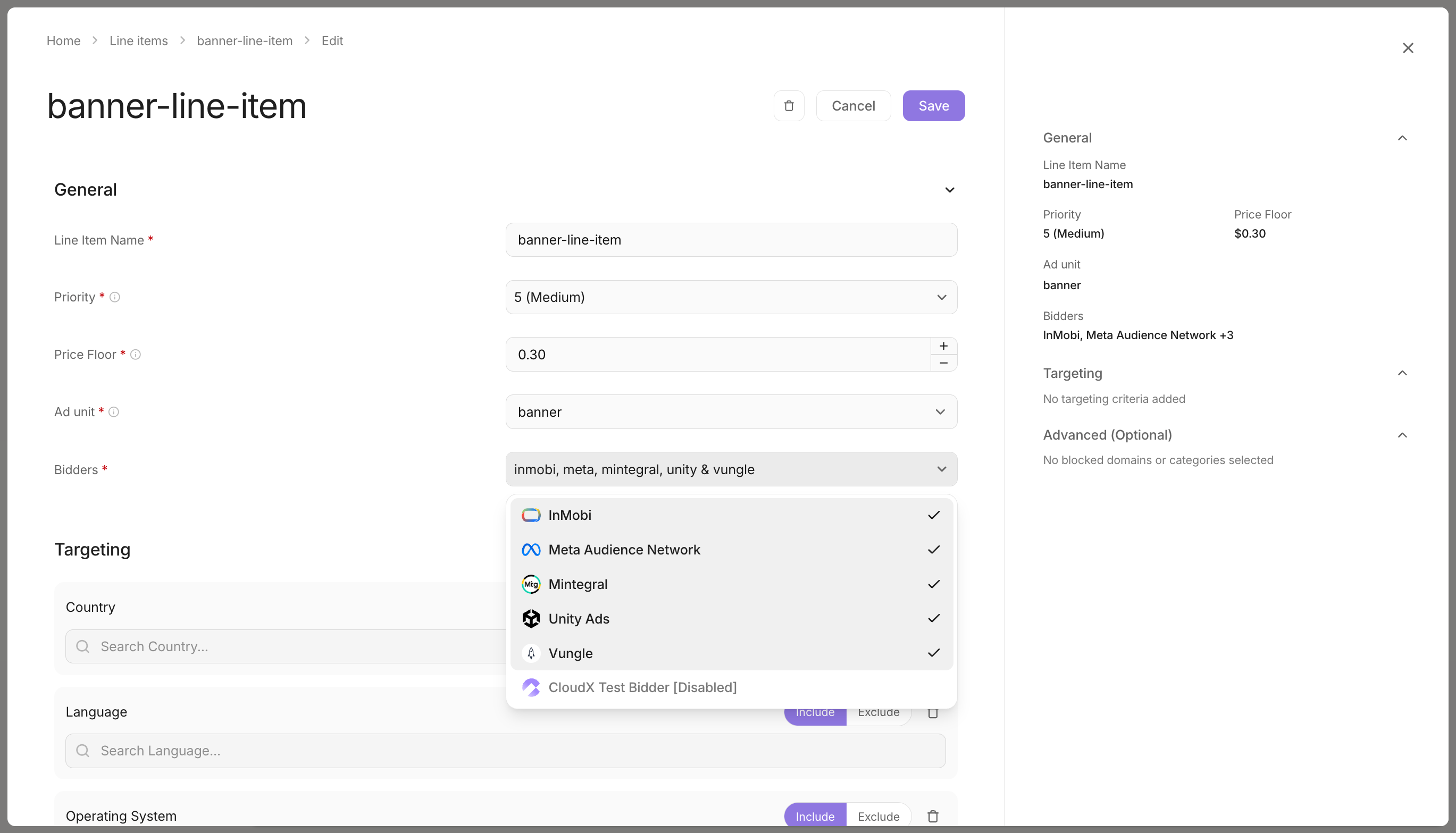
- Use bidder
Mintegral - Match the line item to the correct ad format
- Repeat the setup for each ad unit where Mintegral should bid
Step 6. Finish app integration
Complete the integration and adapter setup for your platform:
- Android integration guide
- iOS integration guide
- Unity integration guide
- Android Mintegral Adapter page
- iOS Mintegral Adapter page
- Unity Mintegral Adapter page
In app code:
- Initialize CloudX with the CloudX
app_key - Load ads using CloudX ad unit identifiers
- Do not pass Mintegral App IDs, App Keys, Placement IDs, or Ad Unit IDs into app code
- For Interstitial and Rewarded ads, call
show()only after the ad is ready
Step 7. Test and validate
- Enable test mode for your device in CloudX.
- Build and run the app with the CloudX
app_keyand the correct CloudX ad unit identifiers. - Request an ad from each mapped ad unit.
- Confirm that the ad loads and that Mintegral participates or wins where expected.
Troubleshooting
Mintegral is not bidding
Check the following first:
Mintegralis enabled inOperations -> Bidder Configuration- The app has a valid
Mintegral App ID - The app has a valid
Mintegral App Key - The ad unit has a valid
Mintegral Placement ID - The ad unit has a valid
Ad Unit ID - A
Mintegralline item exists for the ad unit
Mintegral bids but the ad does not render
Check the following:
- Your app is using the CloudX
app_key, not a Mintegral ID - Your app is loading the intended CloudX ad unit
- The Placement ID and Ad Unit ID belong to the same Mintegral app and format
- On iOS, the requirements from the Mintegral Adapter page are complete
The placement looks correct but loads still fail
Current mobile adapters require Ad Unit ID at load time. Re-check the ad-unit-level Ad Unit ID mapping in CloudX even though the backend schema marks it as optional.
Mapping Reference
| CloudX field | Internal key | Scope |
|---|---|---|
Mintegral App ID | app_id | App |
Mintegral App Key | app_key | App |
Mintegral Placement ID | placement_id | Ad unit |
Ad Unit ID | ad_unit_id | Ad unit |