> ## Documentation Index
> Fetch the complete documentation index at: https://docs.cloudx.io/llms.txt
> Use this file to discover all available pages before exploring further.
# Line items
> Use line items to set price floors, choose bidders, and target specific audiences.
 # Create a line item
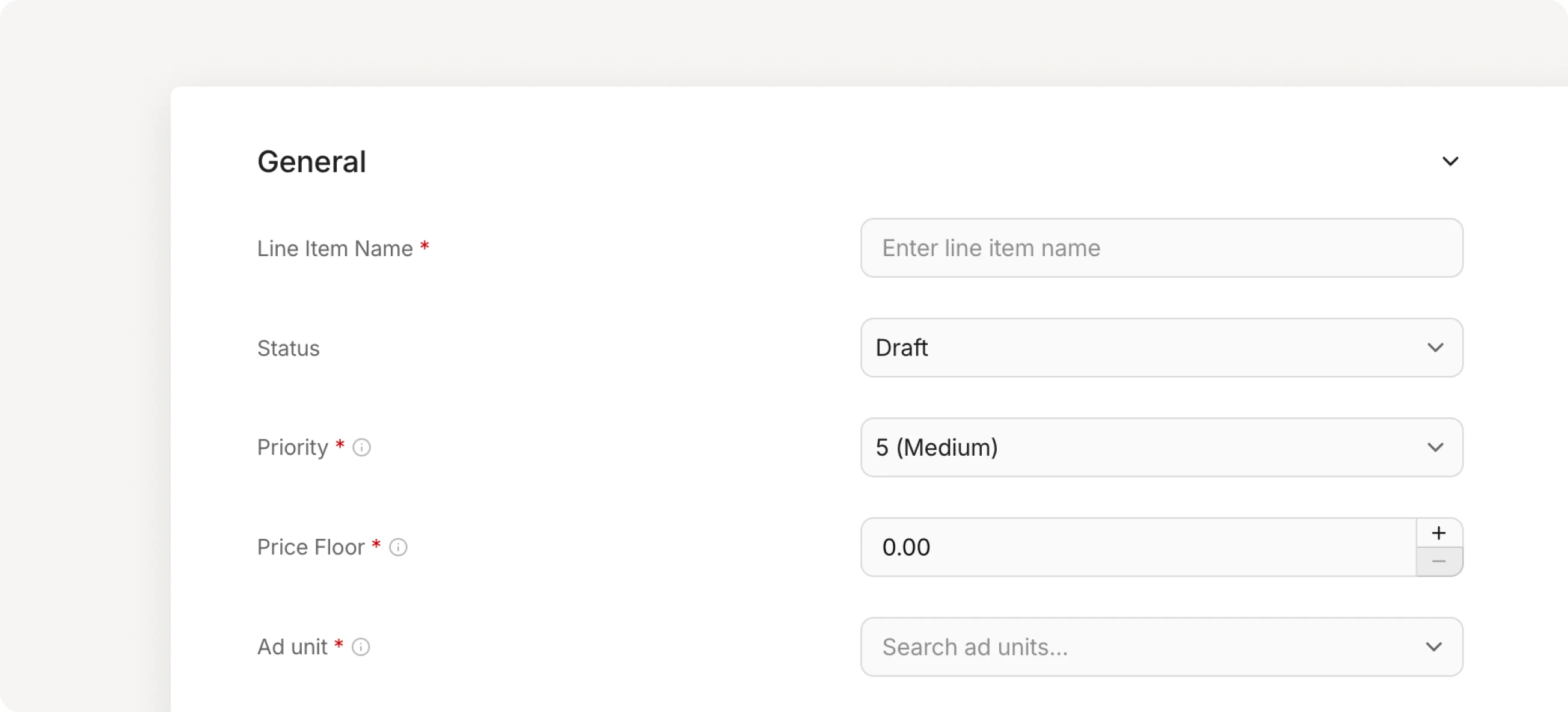
1. Navigate to **Line Items** and click **+ Add line item**
2. Configure the general settings
3. Add targeting criteria
4. Configure advanced settings (optional)
5. Click **Save**
# General settings
| CloudX property | Description |
| --------------- | ------------------------------------------------------------------------------------------------------------------------------------------------------------------------------------------------------------------------------------------ |
| Priority | Controls the order in which line items are called. Priority ranges from 1 to 10, where 1 is the highest priority. |
| Price floor | The minimum CPM (cost per thousand impressions) required for a bid to win. Bids below this floor are rejected. |
| Target | Select which ad unit this line item applies to. |
| Bidders | Choose which demand sources compete in this line item. Select one or more bidders from your configured networks. |
| Status | **Draft** - line item is saved but not serving ads. Use this while configuring.
# Create a line item
1. Navigate to **Line Items** and click **+ Add line item**
2. Configure the general settings
3. Add targeting criteria
4. Configure advanced settings (optional)
5. Click **Save**
# General settings
| CloudX property | Description |
| --------------- | ------------------------------------------------------------------------------------------------------------------------------------------------------------------------------------------------------------------------------------------ |
| Priority | Controls the order in which line items are called. Priority ranges from 1 to 10, where 1 is the highest priority. |
| Price floor | The minimum CPM (cost per thousand impressions) required for a bid to win. Bids below this floor are rejected. |
| Target | Select which ad unit this line item applies to. |
| Bidders | Choose which demand sources compete in this line item. Select one or more bidders from your configured networks. |
| Status | **Draft** - line item is saved but not serving ads. Use this while configuring.
**Active** - line item is live and serving ads.
**Paused** - line item is temporarily stopped. No ads will serve until status changes to Active. |
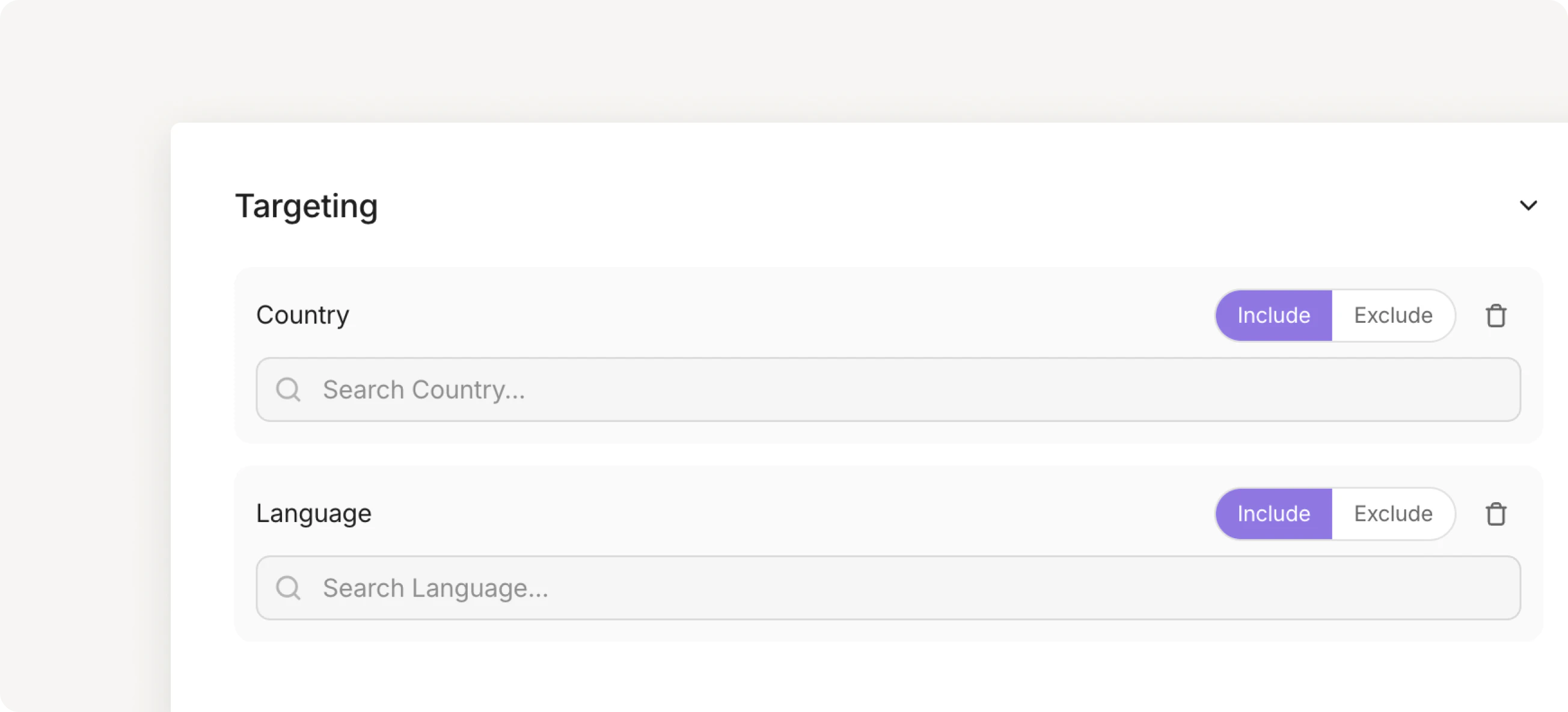
**Targeting** lets you control which users see ads from this line item.
For example, target users in specific countries. Choose `Include` to show ads only in selected countries, or `Exclude` to block ads in selected countries.
 # Blocked domains/categories list
You can block specific domains or ad categories by selecting a list from the dropdown. You can also create and edit lists by navigating to **Settings → Lists**.
# Blocked domains/categories list
You can block specific domains or ad categories by selecting a list from the dropdown. You can also create and edit lists by navigating to **Settings → Lists**.