> ## Documentation Index
> Fetch the complete documentation index at: https://docs.cloudx.io/llms.txt
> Use this file to discover all available pages before exploring further.
# A/B testing
> Use real-time production data to test and measure the impact of any change to your ad unit configuration. Experiment with monetization strategies and identify the opportunities that maximize LTV.
# Introduction
CloudX assigns eligible traffic between a control group running your current setup and a test group running an edited variant. This allows you to try different line items, bid floors, or network configurations without touching production.
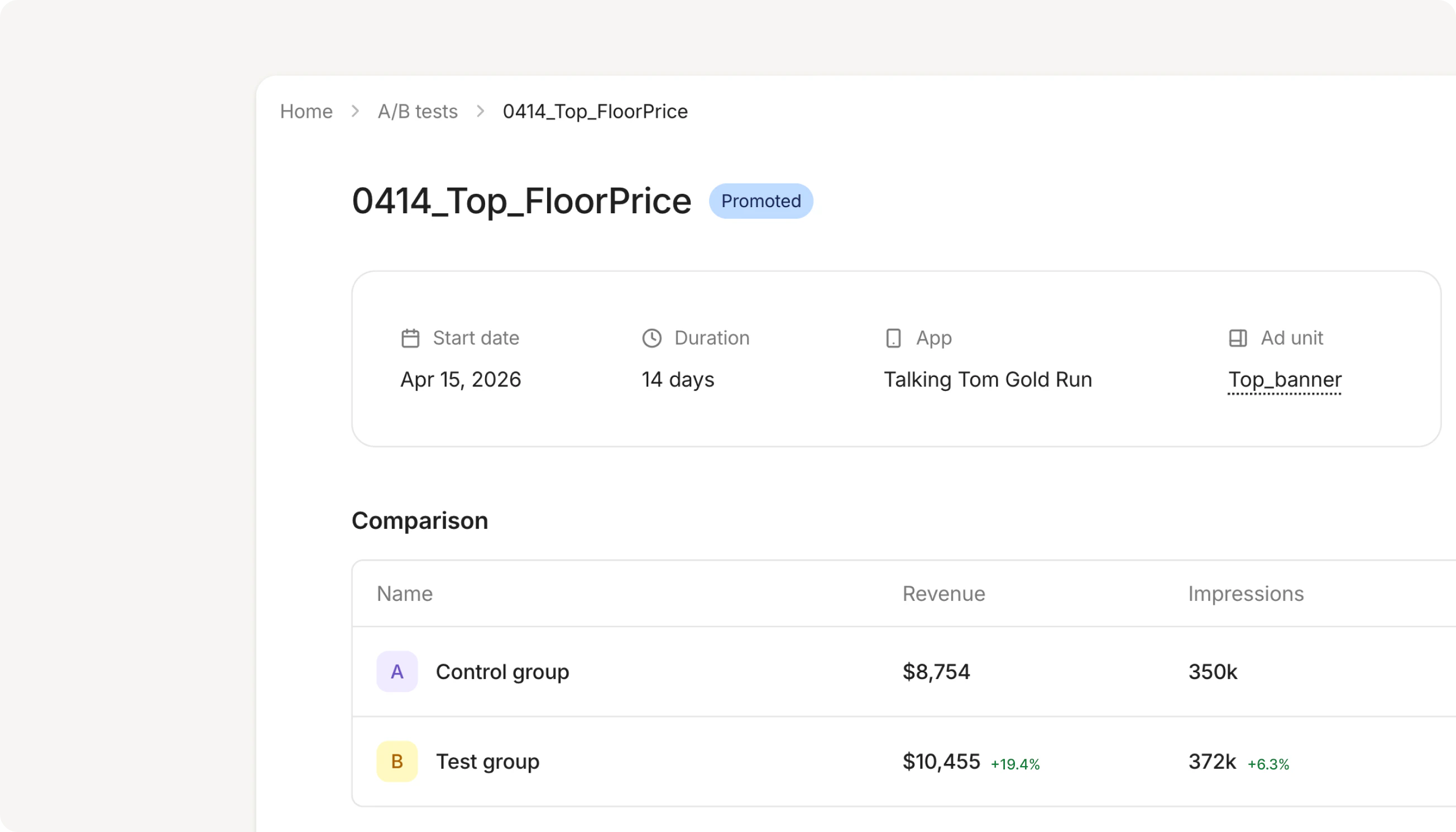
Throughout the test, CloudX tracks total revenue, ARPU, eCPM, fill rate, and impressions side by side and surfaces daily trends and cumulative comparisons. When you're ready, you can easily apply the winning variant to production.
# Create an A/B test
CloudX A/B testing splits ad traffic between your current setup and a test variant.
* **Control group A** uses your current setup
* **Test group B** uses cloned line items that you can edit before launch
Before creating a test, make sure the ad unit:
1. Belongs to an **active app**
2. Has at least **one active line item** that targets it directly
3. Has the bidder mappings required by the test configuration
To create an A/B test:
1. Open **Ad Units** and select the ad unit you want to test
2. In the **A/B tests** section, click **Create A/B test**
3. Enter a test name
4. Review the line items that will be cloned into the test group
5. Click **Create A/B test**
CloudX creates a draft test and clones the direct line items into **Test group B**.
A/B test traffic is split **50/50** between **Control group A** and **Test group B** so the groups collect comparable data.
# Start a test
Open the draft test detail page to review the setup before it starts.
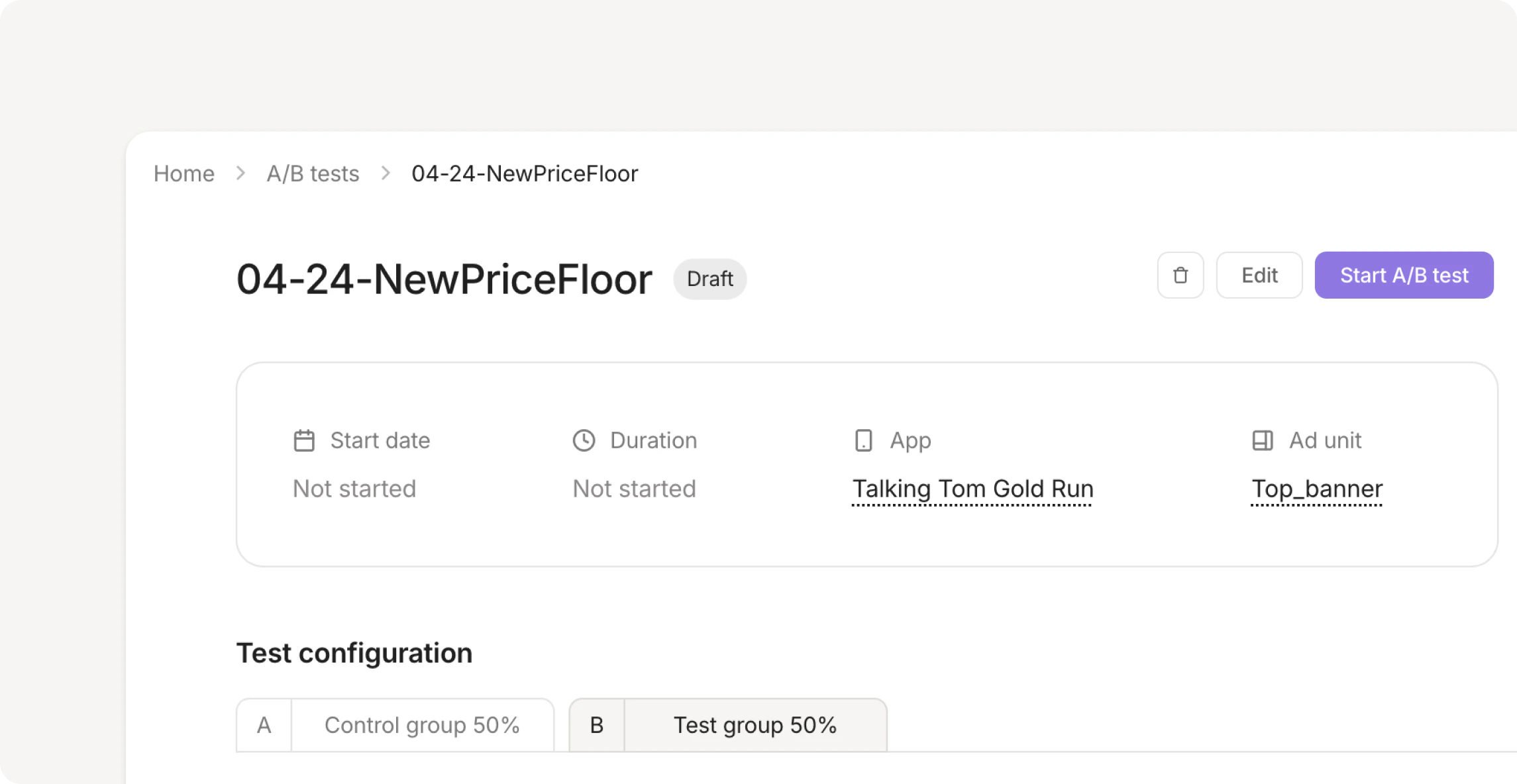
In draft status, you can:
* Update the test name
* Review the control and test line items
* Edit the cloned test line items
* Resolve bidder mapping gaps
Click **Start A/B test** to begin splitting traffic between the two groups.
Once a test is active, line items in both groups become read-only until the test is finalized.
# Review results
Use **A/B Testing** in the sidebar to review tests across your account. You can search by test name or ID, and filter by status, app, or ad unit.
The test detail page shows:
* Start date and duration
* App and ad unit
* Traffic split
* Daily trends for **Total revenue**, **Impressions**, **eCPM**, and **Fill rate**
* Cumulative comparison metrics for **ARPU**, **Total revenue**, **Impressions**, **eCPM**, and **Fill rate**
The result badge summarizes the current statistical read:
* Pending: the test has not reached a statistically significant conclusion
* Directional: the test has a visible direction but has not met the threshold for an achieved result
* Achieved: the test has reached a statistically significant conclusion
CloudX also keeps a historical line item snapshot so you can review the test configuration after the run ends.
# End the test
To finish an active test, click **End test** and choose an outcome:
* **Promote test**: apply the test-group configuration to the live ad unit
* **Keep control**: discard the test-group line items and keep the current production setup
After the test ends, the result remains visible in the A/B Testing workspace for future reference.
 # Introduction
CloudX assigns eligible traffic between a control group running your current setup and a test group running an edited variant. This allows you to try different line items, bid floors, or network configurations without touching production.
Throughout the test, CloudX tracks total revenue, ARPU, eCPM, fill rate, and impressions side by side and surfaces daily trends and cumulative comparisons. When you're ready, you can easily apply the winning variant to production.
# Create an A/B test
CloudX A/B testing splits ad traffic between your current setup and a test variant.
* **Control group A** uses your current setup
* **Test group B** uses cloned line items that you can edit before launch
Before creating a test, make sure the ad unit:
1. Belongs to an **active app**
2. Has at least **one active line item** that targets it directly
3. Has the bidder mappings required by the test configuration
To create an A/B test:
1. Open **Ad Units** and select the ad unit you want to test
2. In the **A/B tests** section, click **Create A/B test**
3. Enter a test name
4. Review the line items that will be cloned into the test group
5. Click **Create A/B test**
CloudX creates a draft test and clones the direct line items into **Test group B**.
# Introduction
CloudX assigns eligible traffic between a control group running your current setup and a test group running an edited variant. This allows you to try different line items, bid floors, or network configurations without touching production.
Throughout the test, CloudX tracks total revenue, ARPU, eCPM, fill rate, and impressions side by side and surfaces daily trends and cumulative comparisons. When you're ready, you can easily apply the winning variant to production.
# Create an A/B test
CloudX A/B testing splits ad traffic between your current setup and a test variant.
* **Control group A** uses your current setup
* **Test group B** uses cloned line items that you can edit before launch
Before creating a test, make sure the ad unit:
1. Belongs to an **active app**
2. Has at least **one active line item** that targets it directly
3. Has the bidder mappings required by the test configuration
To create an A/B test:
1. Open **Ad Units** and select the ad unit you want to test
2. In the **A/B tests** section, click **Create A/B test**
3. Enter a test name
4. Review the line items that will be cloned into the test group
5. Click **Create A/B test**
CloudX creates a draft test and clones the direct line items into **Test group B**.
 In draft status, you can:
* Update the test name
* Review the control and test line items
* Edit the cloned test line items
* Resolve bidder mapping gaps
Click **Start A/B test** to begin splitting traffic between the two groups.
In draft status, you can:
* Update the test name
* Review the control and test line items
* Edit the cloned test line items
* Resolve bidder mapping gaps
Click **Start A/B test** to begin splitting traffic between the two groups.